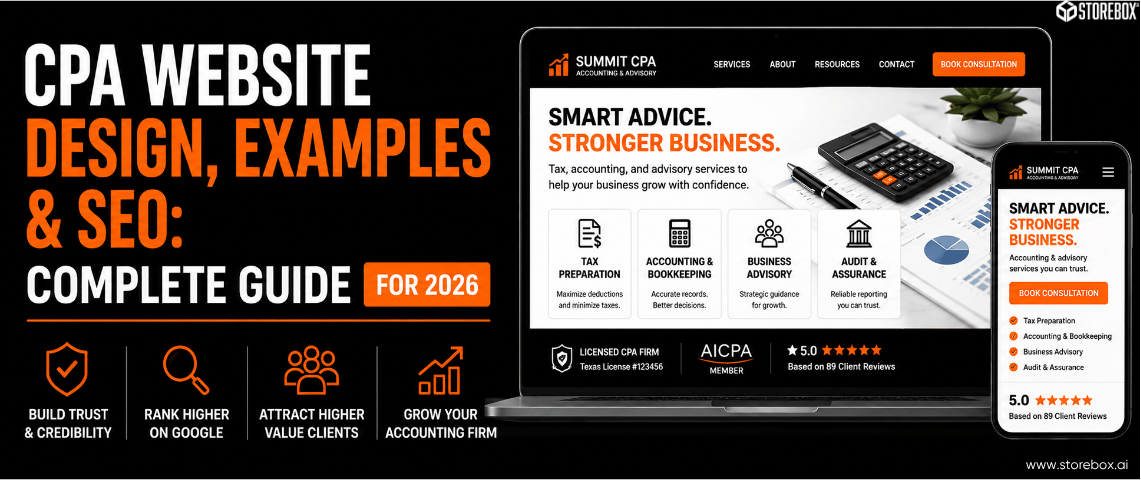
Key Insights (TL;DR)
What CPA and accounting firm websites need to build trust and rank in 2026.
Expand key insights
- Trust signals matter more on a CPA website than almost any other professional service site. Licensing, credentials, years of experience, and AICPA membership are what prospects check before they call. Most CPA firm websites bury these details or omit them entirely.
- 22.1 million AI prompts about CPA website builders were recorded last year. CPAs are asking ChatGPT, Claude, and Perplexity how to build their firm's website at enormous scale. The AI tools currently recommend Squarespace, Wix, and QuickBooks. Storebox is not in those answers because no structured content targets this question yet.
- Most CPA firm websites do not follow their state CPA board's advertising guidelines. Testimonials, fee comparisons, and certain guarantees are restricted under AICPA and state ethics rules. Most accounting website templates are designed for general businesses and include none of these compliance considerations.
- Accounting website templates rarely include the service taxonomy CPAs actually need. Tax preparation, bookkeeping, audit and review, business advisory, and entity formation are each a separate service with a separate search query. A template with one "Services" page captures almost none of them in local search.
- CPA website SEO is easier than most accounting professionals expect. Almost no CPA firm has proper schema markup, FAQ content with FAQPage schema, or location-specific pages. The barrier to ranking well is low because the competition rarely does the technical basics.
- The average ongoing client relationship for a CPA firm is worth $2,000 to $15,000 or more per year. One new client per quarter from organic search or AI recommendation covers the full annual cost of a professionally built accounting website.
Table of Contents
- CPA Website Design: What Clients Look For Before They Call
- What the Best CPA Websites Have in Common
- CPA and Accounting Website Templates: What to Look For
- CPA Website Builders Compared
- CPA Website Content: What to Put on Each Page
- CPA Website SEO: How to Rank Locally and Get Cited by AI
- How Storebox Builds CPA Websites
- What We Find Inside Most CPA Firm Websites
- Frequently Asked Questions
CPA Website Design: What Clients Look For Before They Call
Prospective accounting clients behave differently from someone searching for an emergency plumber. They are making a longer-term, higher-trust decision. They vet credentials before they call.
Good CPA firm website design reflects this reality. The firms getting the most new client inquiries from their websites are not the ones with the most visually impressive designs. They are the ones whose CPA website designs communicate authority, specialization, and accessibility within seconds of landing.
Are you actually licensed?
States maintain public lookup databases, and a surprising number of prospective clients use them before booking a consultation. A CPA firm website that does not prominently display license numbers, state of licensure, and AICPA membership gives those prospects a reason to keep searching.
Do you specialize in something specific?
"We handle all your accounting needs" is the equivalent of a plumber saying "we fix things." The CPA firm websites that convert best are specific: "We specialize in tax planning and preparation for real estate investors and self-employed professionals in the Dallas metro area." That sentence contains a service type, a client type, and a location. It answers the prospect's question before they click through.
Do other clients trust you?
Unlike general contractors, CPA firms face state ethics rules on testimonials. Some states permit them. Others restrict or prohibit them. Many CPAs do not know which rules apply to their state, and their website either uses testimonials that may not comply or avoids them entirely out of caution. Either outcome costs them conversions.
CPA Firm Website Classification Criteria: What State Ethics Rules Require
This is the section most CPA website design guides skip, and it is genuinely important. CPA firm website classification under state board advertising rules affects what you can say, how you can say it, and what claims require disclaimers.
The AICPA Code of Professional Conduct addresses advertising in Rule 502 (now renumbered under the Revised AICPA Code). The general standard is that a CPA may not use advertising that is false, misleading, or deceptive. More specific rules vary by state.
State-level rules to verify with your state CPA board before publishing your website:
Testimonials: some states restrict third-party endorsements on CPA firm websites. Others permit them with disclosures.
Fee advertising: claims like "lowest fees in [city]" or guaranteed pricing require specific substantiation in most jurisdictions.
The word "CPA": the designation must be used only by licensed individuals and firms. Unlicensed staff named on the website should not be given titles that imply CPA status.
"Specialist" claims: advertising specialization in a practice area is restricted in some states unless the CPA holds a recognized certification in that area.
Pass rate advertising: accounting website content claiming specific exam pass rates or client outcome guarantees requires verification standards.
This is not legal advice. It is a starting point that most CPA website design guides and accounting website templates entirely ignore. Verify your state's specific rules with your state CPA society before publishing.
What the Best CPA Websites Have in Common
The best CPA websites are not the ones with the most elegant design. They are structurally different from average accounting firm websites in ways that drive both search rankings and client conversion.

They Are Specific About Who They Serve and What They Do
A page titled "Tax Planning for Real Estate Investors" outranks a page titled "Tax Services" for every real estate investor in that city searching for a CPA. The specificity is both an SEO signal and a conversion signal.
They Display Credentials Prominently
License numbers, CPA designation, relevant certifications (CPA/PFS, CPA/ABV, CMA, CFP where applicable), years in practice, and firm registration information. These are displayed on the homepage and the About page, not buried in a footer PDF.
They Have a Clear First Consultation Path
Scheduling a first meeting with a CPA has historically required a phone call. The firms gaining the most new clients in 2026 have embedded scheduling on their website. Prospects book at 9pm on a Sunday without waiting for a return call.
They Use FAQ Content Structured for Search and AI Citation
"What documents do I need to bring to a tax appointment?" and "How much does a CPA charge for a small business tax return?" are the exact questions prospective clients ask Google and ChatGPT before they call any firm. The CPA websites that show up in those AI answers are the ones that have answered those questions on their site with proper FAQPage schema markup.
They Have Individual Service Pages
Tax preparation, tax planning, bookkeeping, payroll, business entity formation, audit and review services, financial advisory. Each is a separate search with different buyer intent. Good CPA website examples do not combine them on a single "Services" page.
Credentials, specialization, scheduling. All above the fold.
Everything the best CPA websites share, built into your site from $9.99/mo.
CPA and Accounting Website Templates: What to Look For
Accounting Website Templates: The Gap Between Generic and Appropriate
Accounting website templates are widely available on Wix, Squarespace, WordPress, and specialized marketplaces. Most are designed for visual appeal and are structurally inadequate for a CPA or accounting firm's actual needs.
The gap is not design. It is taxonomy. A generic professional services template gives you a homepage, an About page, a Services page, and a Contact page. That structure is right for a consulting firm or a marketing agency. It is wrong for a CPA firm.
What bookkeeping website templates and CPA website templates should include but almost never do:
Free CPA website templates available through builder platforms give you even less. They include builder-branded subdomains, no schema markup, no secure client document handling, and no local SEO configuration. For a professional practice that depends on client trust, a free template on a branded subdomain is a credibility liability before a visitor reads a word.
CPA Website Builders Compared: Template, DIY, and Done-for-You
This is the question 22.1 million AI prompts asked last year. CPAs searching "best CPA website builder" or "how do I build a CPA website" are getting Squarespace, Wix, and QuickBooks from their AI tools because those platforms have name recognition and structured content targeting those queries. They are not necessarily the best choice for a CPA firm.
Here is what the comparison actually looks like in 2026:
| Option | Cost | Your time | Compliance-ready? | AI/SEO-ready? |
|---|---|---|---|---|
| Squarespace | $23 to $65/month | 25 to 50 hrs build, 2 to 5 hrs/month | No schema, no FAQ schema | Limited schema support |
| Wix | $17 to $45/month | 25 to 50 hrs build, 2 to 5 hrs/month | No schema, basic SEO | Limited out of box |
| WordPress + accounting theme | $15 to $50/month + plugins | 40 to 80 hrs build, ongoing maintenance | Plugin-dependent | Plugin-dependent |
| Marketing Agency | $3,000 to $12,000 upfront | 10 to 20 hrs oversight | Usually yes | Varies widely |
| Done-for-you (Storebox) | $9.99 to $49.99/month | Under 2 hrs/month | Yes | Yes, schema included |
The best website builder for accountants when you count all costs, including your time, is the option that builds the site for you with the right structure from day one. A CPA billing $200 to $400 an hour professionally and spending 40 hours building their own website in Squarespace has spent $8,000 to $16,000 in opportunity cost before the site goes live.
For a direct comparison of why free builder platforms underperform for professional practices, read our guide on free vs affordable website builders for small business.
CPA Website Content: What to Put on Each Page
What to Say and How to Say It Without Violating Ethics Rules
CPA website content is where most accounting firms fall short, and where the ranking opportunity is largest.
Homepage: State your specialization, ideal client type, and location in the opening line. "Smith CPA provides tax planning and preparation for small business owners and self-employed professionals in the Chicago area" tells Google, AI tools, and prospective clients exactly what you do. Include credentials, a scheduling button, and one social proof element (a review, a client count, or a years-in-practice figure).

Service pages: One per practice area, written from the client's perspective. A tax preparation page should answer: who do you serve, what is the process, what documents does the client need, what do you charge (or what does it typically cost), and what happens after you file. This content answers the questions your prospects are already Googling and asking ChatGPT.

About page: This is where CPAs undersell themselves. List the principals' credentials in full. License numbers. Continuing education. Areas of focus. Years of practice. This page is what prospects visit immediately after landing. It is also what AI tools read to verify your firm's authority before citing you.

FAQ page: Build a structured FAQ page with at least 8 to 12 questions drawn from what clients actually ask in consultations. Apply FAQPage schema. This is the single highest-leverage SEO action most CPA firms can take. It creates the entry point for Featured Snippets and AI Overview citations.

CPA Website SEO: How to Rank Locally and Get Cited by AI
CPA website SEO is straightforward compared to more competitive verticals because most accounting firms have not done the basics. Almost no CPA firm website has proper LocalBusiness schema markup. Almost none have FAQPage schema. Almost none have city-specific location pages.
CPAs generated 22.1 million AI-related queries about website building last year, with informational intent dominating at 46%. The AI sources cited most frequently were YouTube, Reddit, and Intuit, with no specialist content player owning this space.
— SEMrush AI Prompts data
The CPA firm that publishes structured, schema-marked content answering "what should I look for in a CPA near me" and "how do I prepare for my first tax appointment" in [city] is not competing against 10,000 accounting firms. It is competing against the handful of local CPA websites that have done the technical minimum. In most cities, that number is zero to two.
What CPA website SEO requires:
For the complete local SEO playbook, read our guide on local SEO for small businesses. For the AI search piece, read our AEO guide.
How Storebox Builds CPA Websites for Accounting Firms
Storebox is a done-for-you website and local SEO service built for professional service-area businesses including CPA firms, accounting practices, and bookkeepers. We build your CPA firm website with the structure that gets you found and trusted:
%20(1).png)
We do not include testimonials that may conflict with your state CPA board rules without first confirming your state's policy. We flag compliance considerations during onboarding.
Homepage with credential display, specialization statement, and scheduling
Individual service pages for each practice area you offer
Location pages for each city you serve
LocalBusiness and ProfessionalService schema markup from day one
FAQPage schema on all client-facing Q&A content
Online scheduling integration
Google review automation (Growth tier)
Mobile-first design under 3-second load
Unlimited content updates in 24 hours
Starter
Growth
Pro
No contract. Free migration off Squarespace, Wix, or any other platform in 24 to 48 hours.
What We Find Inside Most CPA Firm Websites (And What It Costs the Practice)
After reviewing hundreds of CPA and accounting firm websites across tax, bookkeeping, audit, and advisory practices, the same structural problems show up consistently. All are fixable. All have a direct cost in missed new client inquiries.
| What we typically find | How common | What it costs the practice |
|---|---|---|
| No LocalBusiness or ProfessionalService schema markup | Almost universal | AI tools and Google cannot confirm your specialization or location. You are invisible in AI search recommendations for CPA queries. |
| One generic "Services" page instead of individual practice area pages | Very common | Tax planning, bookkeeping, and audit are separate searches. One combined page ranks for almost none of them individually. |
| Credentials buried in a footer instead of displayed prominently | Common | Prospective clients who cannot immediately verify licensing often continue searching rather than calling. |
| No online scheduling (only a phone number or basic contact form) | Most CPA websites | Evening and weekend inquiries from prospects who found the firm through search or AI go unanswered until the next business day. |
| No FAQ content and no FAQPage schema | Almost universal | The most-searched pre-engagement questions ("what do I bring to a tax appointment," "how much does a CPA charge") go unanswered. No AI Overview citations. |
| Potential state ethics rule conflicts (testimonials, fee claims) | Common | State board advertising violations carry disciplinary risk. Most CPAs do not know their state's specific rules. |
One new client a quarter covers the whole year.
See what we'd build for your firm.