Key Insights
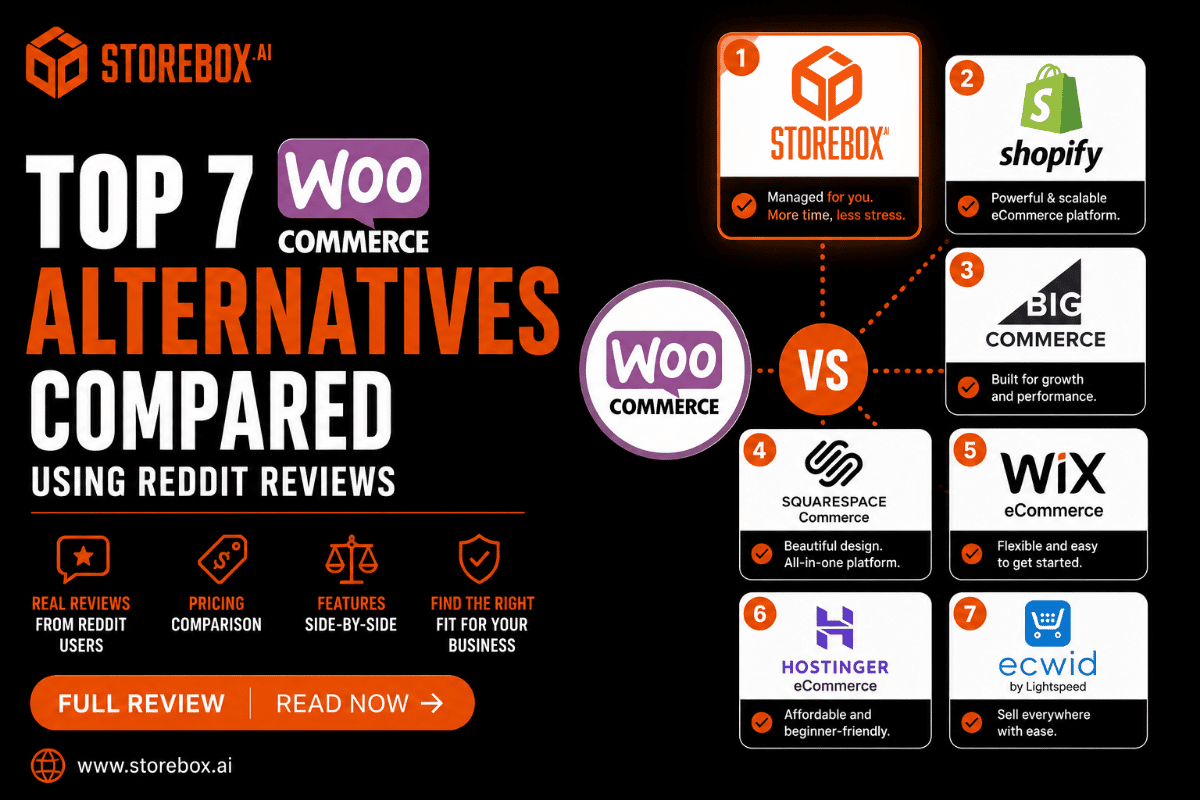
7 WooCommerce alternatives compared: real pricing, Reddit reviews, and why "free" undersells the real cost.
Expand key insights
- WooCommerce has no core platform fee, but nearly every feature beyond the basics requires a paid plugin. Store owners commonly describe accumulating annual plugin subscriptions that add up to more than a flat-rate platform would have charged from the start.
- WooCommerce's built-in promotion and coupon tools are widely described as too basic for real marketing needs. Scheduled price changes, tiered customer discounts, and advanced coupon rules typically require additional paid extensions to work reliably.
- Fraud and stolen card testing is a specific, recurring problem on self-hosted WooCommerce stores. Store owners have reported being forced to temporarily shut down checkout after standard fraud protection tools failed to stop repeated fraudulent order attempts.
- WooCommerce shifts nearly all technical responsibility onto the store owner or their developer. Security patches, plugin compatibility, and translation or localization all require manual setup that hosted platforms handle automatically.
- Developers who have built custom themes and plugins on top of WooCommerce describe specific technical friction, including frontend text that cannot be edited without code, and significant performance bloat added to pages that are not even part of the store.
- A done-for-you ecommerce alternative removes the exact pattern most WooCommerce switchers describe: paying for one plugin after another to reach basic functionality that a flat-rate platform includes from day one.
Why People Look for WooCommerce Alternatives
WooCommerce is free to install, which is exactly why so many small stores start there, and it remains one of the most searched WooCommerce alternatives topics for 2026 for exactly that reason. The complaints that build up over time are consistent, specific, and worth taking seriously before you commit.

WooCommerce
WHAT STORE OWNERS ARE LEAVING
The clearest and most specific pattern behind the switch is plugin cost creep. WooCommerce has no core platform fee, but nearly every feature beyond the basics, real promotions, fraud protection, a page builder, translation, requires a separate paid plugin, and store owners consistently describe that stack adding up to more than a flat-rate platform would have charged from the start.
Key Features
● Completely free core plugin, no forced subscription tier
● Full design and code-level control through WordPress themes
● Massive plugin ecosystem, near-unlimited extensibility
● Full data ownership on your own hosting, no vendor lock-in
▲
73
▼
"I also hate that every additional thing is another plug-in that costs more." That store owner originally chose WooCommerce for its low starting cost, and described the plugin stack growing until it added up to more than a flat-rate platform would have charged from the start.
💬 Reply
➦ Share
🏆 Award
⋯
"Frontend strings that require hacky workaround fixes since there is no built-in translation system." — a developer describing WooCommerce's limitations, r/Wordpress
"The coupon system needs a real upgrade, it's too damn basic." — a store owner describing WooCommerce's native marketing tools, r/woocommerce
▲
61
▼
"I had to shut down my shop temporarily." That store owner described repeated stolen credit card testing on their store. Standard fraud tools (reCAPTCHA v2 and v3, adjusted settings) did not resolve the issue, pointing to a gap in WooCommerce's default fraud protection compared to platforms with fraud detection built into checkout.
💬 Reply
➦ Share
🏆 Award
⋯
"It's insane how many annual subscriptions I have to have just for what is basic stuff." — on the number of plugins required for normal store functionality, r/woocommerce
Pros
✓ No core platform fee, complete design and code-level flexibility
✓ A very large plugin ecosystem covers nearly any feature imaginable
Cons
✗ Nearly every feature beyond the basics requires a paid plugin, and costs add up fast
✗ Fraud protection and native marketing tools are weaker by default than dedicated platforms
None of this means WooCommerce is a bad platform. It means the "it's free" pitch undersells the real cost, in both money and ongoing technical responsibility, once a store needs more than the basics.
Tired of paying for one plugin after another?
Get SEO, promotions, and fraud-aware checkout included, with no plugins to manage. From $9.99/mo.
Is WooCommerce Free? What It Actually Costs
Is WooCommerce free? The plugin itself is free to install on WordPress. WooCommerce cost in practice comes from hosting, premium plugins, and the developer time needed to keep everything compatible and secure.
WooCommerce pricing starts with hosting, typically $10 to $50 a month depending on traffic and store size. Beyond that, the plugins most functioning stores need, a real coupon and promotion system, fraud protection beyond WordPress defaults, a page builder, SEO tools, and backup and security plugins, commonly add $20 to $100 a month in subscriptions.
A free WooCommerce alternative in the truest sense does not really exist once hosting and essential plugins are counted, though WooCommerce for small business can work at very low cost for a simple catalog with minimal marketing needs. The costs climb specifically where the Reddit complaints above concentrate: promotions, fraud protection, and any customization beyond the default theme.
WooCommerce Alternatives Compared: Quick Reference Table
| Platform |
Monthly cost |
Plugin dependency |
Key Features |
Best for |
| Storebox |
From $9.99 flat |
None |
SEO, promotions, fraud-aware checkout included |
Predictable pricing, no plugins, done for you |
| Shopify |
$39+ (often $89–$139 real cost) |
Lower than WooCommerce |
Built-in fraud analysis, native promotions |
Native fraud protection and marketing tools |
| BigCommerce |
$39+ (revenue-tiered) |
Lower than WooCommerce |
Native category and brand pages |
Native category and brand pages |
| Squarespace Commerce |
$28–$52 |
None |
Design-forward templates, booking tools |
Small, visually driven stores |
| Wix eCommerce |
$17–$35 |
None |
AI-assisted site builder, built-in marketing |
Zero technical maintenance |
| Webflow Ecommerce |
$29–$212 |
Low |
Code-level design control, clean output |
Developers wanting design control without WordPress overhead |
| PrestaShop |
Free + $10–$30 hosting |
Moderate |
Native multi-language and multi-currency |
International, multilingual stores |
Top 7 WooCommerce Alternatives: Features, Pricing, Pros, and Cons
Best Overall Value

Storebox vs WooCommerce
Storebox is a done-for-you managed ecommerce store with product listings, categories, and checkout built for you. It charges one flat rate and includes SEO, promotions, and fraud-aware checkout as standard, with no plugins to manage, unlike WooCommerce's ongoing plugin management, security patching, and growing subscription stack. Built-in SEO (schema markup, meta tags, sitemap), email marketing, and review collection are included as standard, not sold as separate plugins.
Key Features
● One flat monthly rate, no plugin subscriptions required
● Fraud-aware checkout and security handled for you
● Native promotion and coupon tools included, not a basic default
● 0% commission on every sale, card processing only
● SEO, email marketing, and review collection all included, zero paid plugins
● Free migration from WooCommerce in 24 to 48 hours
Storebox vs WooCommerce: Quick Take
Choose Storebox if
You're tired of stacking paid plugins to reach basic functionality and want fraud protection, promotions, and SEO included from day one.
Choose WooCommerce if
You want full code-level control and are comfortable managing hosting, security, and plugin compatibility yourself.
Pros
✓ Directly solves the plugin-stacking problem named across nearly every WooCommerce complaint
✓ No security patching or plugin compatibility to manage
✓ Unlimited content updates with 24-hour turnaround, free migration in 24-48 hours
Cons
✗ Less granular code-level customization than a fully self-built WooCommerce site, since the build is managed for you
Best for: Store owners who chose WooCommerce for its free starting price and ended up managing a dozen paid plugins anyway, and want predictable pricing with security and promotions handled for them.

Shopify vs WooCommerce
Shopify is a dedicated ecommerce platform, and this is the highest-volume comparison in this category. Shopify wins clearly on ease of setup and built-in functionality. WooCommerce wins on total design flexibility and having no core platform fee, if you are comfortable with the plugin management that comes with it.
Key Features
● Massive app ecosystem
● Built-in fraud analysis on every order
● One-page checkout
● Native promotion and discount tools, no separate plugin required
Shopify vs WooCommerce: Quick Take
Choose Shopify if
You want fraud protection and marketing tools working natively, without assembling a plugin stack.
Choose WooCommerce if
You want total design flexibility and no core platform fee, and don't mind managing plugins.
Pros
✓ Fraud protection built into checkout by default, directly addressing the stolen-card testing problem WooCommerce owners described
✓ Coupon and promotion tools work natively without a separate extension
Cons
✗ Less total design and code-level control than WooCommerce
✗ Multi-language support requires more setup than WooCommerce's plugin ecosystem allows for
Best for: Store owners who want fraud protection and marketing tools working out of the box, without assembling and maintaining a plugin stack themselves. For a deeper look, see our full Shopify alternatives guide.

BigCommerce vs WooCommerce
BigCommerce is a fully hosted ecommerce platform, and this is a close comparison on functionality, since both aim to reduce reliance on paid add-ons compared to Shopify. BigCommerce includes more native ecommerce features than WooCommerce out of the box, while WooCommerce remains cheaper at very small catalog sizes.
Key Features
● Native category and brand page handling
● No transaction fees
● More built-in marketing tools than WooCommerce's default coupon system
BigCommerce vs WooCommerce: Quick Take
Choose BigCommerce if
You want more capable native marketing and category tools without WooCommerce's plugin management.
Choose WooCommerce if
Your catalog is small enough that free-to-install still beats BigCommerce's revenue-tier pricing.
Pros
✓ Coupon and promotion tools are more capable natively than WooCommerce's default system
✓ No plugin compatibility issues to manage
Cons
✗ Revenue-tier pricing means costs can rise as a store grows, a different but real cost unpredictability compared to WooCommerce's plugin-based cost creep
Best for: Store owners who want BigCommerce's more capable native marketing tools without WooCommerce's plugin management burden, and who are comfortable with revenue-based pricing tiers. See our dedicated BigCommerce alternatives guide for more.

Squarespace vs WooCommerce
Squarespace Commerce is a design-forward website and store builder. Against WooCommerce, it favors Squarespace heavily on design polish and ease of use, and WooCommerce on catalog flexibility and code-level control.
Key Features
● Design-forward templates
● Integrated booking and scheduling tools
● Simpler builder experience than managing a WordPress and WooCommerce install
Squarespace vs WooCommerce: Quick Take
Choose Squarespace if
You want a polished, professional store with zero technical maintenance.
Choose WooCommerce if
You need deeper catalog customization than Squarespace's templates allow.
Pros
✓ No security patching or plugin compatibility management at all
✓ Templates look professional without additional design work, unlike a default WooCommerce theme
Cons
✗ Inventory management and complex product variants are more basic than WooCommerce supports natively, not suited to large, highly customized catalogs
Best for: Small, visually driven stores that want Squarespace's ease of use without WooCommerce's ongoing technical maintenance.
Wix eCommerce vs WooCommerce
Wix eCommerce is a drag-and-drop store builder, and this is a simplicity-versus-flexibility trade-off against WooCommerce. Wix requires no technical maintenance at all. WooCommerce offers far more customization if you are willing to manage it.
Key Features
● Drag-and-drop store builder
● Built-in basic SEO and marketing tools
● AI-assisted site generation
Wix eCommerce vs WooCommerce: Quick Take
Choose Wix if
You want zero technical maintenance and a fast, beginner-friendly setup.
Choose WooCommerce if
You need the open plugin ecosystem's flexibility and don't mind the upkeep.
Pros
✓ Zero technical maintenance burden compared to WooCommerce's ongoing security and plugin management
✓ Faster setup for a small catalog
Cons
✗ Far less design and functional flexibility than WooCommerce's open plugin ecosystem allows, not suited to large or highly customized catalogs

6
Webflow Ecommerce
DESIGN-FIRST PLATFORM
Webflow vs WooCommerce
Webflow Ecommerce is a visual, design-first platform, and this is the closest comparison for developers specifically, since Webflow is also positioned as flexible and design-first, but hosted rather than self-managed.
Key Features
● Visual, code-level design control without managing WordPress core updates
● Built-in CMS and clean, semantic code output
● No plugin compatibility to manage
Webflow vs WooCommerce: Quick Take
Choose Webflow if
You want WooCommerce-level design control without WordPress's plugin dependency and maintenance burden.
Choose WooCommerce if
You need ecommerce-specific plugins that Webflow's smaller app ecosystem doesn't yet cover.
Pros
✓ Addresses the specific developer frustrations named earlier: no un-editable frontend strings, no bloat added to non-store pages
✓ Clean code output by design
Cons
✗ Smaller ecommerce-specific app ecosystem than WooCommerce's plugin library
✗ Higher-tier plans get expensive for larger catalogs
Best for: Developers and designers who want WooCommerce-level design control without WordPress's plugin dependency and technical maintenance burden.

7
PrestaShop
OPEN-SOURCE PLATFORM
PrestaShop vs WooCommerce
PrestaShop is a free, self-hosted, open-source ecommerce platform, and this is a comparison between two free, open-source options. Both have no core platform fee. PrestaShop includes more ecommerce-specific functionality natively, while WooCommerce benefits from WordPress's larger overall plugin and theme ecosystem.
Key Features
● Native multi-language and multi-currency support
● Large library of modules and themes
● Free to install, hosting typically $10–$30/month
PrestaShop vs WooCommerce: Quick Take
Choose PrestaShop if
You run an international or multilingual store and want native language and currency support.
Choose WooCommerce if
You'd rather build on WordPress's larger overall plugin and theme ecosystem.
Pros
✓ Multi-language and multi-currency support is native, directly addressing the translation limitation a WooCommerce developer specifically flagged
✓ Large module library for ecommerce-specific features
Cons
✗ Steep learning curve, requires hosting setup and usually a developer, similar technical burden to WooCommerce
Best for: International or multilingual stores that want WooCommerce's cost structure with stronger native language support built in.
Done comparing? See the difference.
We'll build a free store draft from your business name and product type. No signup. No card.
What Reddit Says About WooCommerce
WooCommerce vs Shopify Reddit discussions and WooCommerce review threads both surface the same pattern repeatedly: the platform is genuinely powerful, but the ongoing technical and financial cost is higher than the "free plugin" framing suggests.
🧩
r/woocommerce & r/Wordpress
Join
WooCommerce comparison threads • Switching platforms
🔥 Hot
New
Top
▲
142
▼
Posted in r/woocommerce
The clearest advantage: cost at small scale, total design freedom
Weighing WooCommerce pros and cons honestly, the clearest advantage named across these discussions is cost at very small scale and total design freedom for developers willing to invest the time.
💬 Reply
➦ Share
▲
98
▼
Posted in r/woocommerce
The clearest disadvantages: plugin-dependent cost creep and the fraud protection gap
The clearest disadvantages named across these discussions are the plugin-dependent cost creep, the fraud protection gap, and the technical maintenance burden that falls entirely on the store owner or their developer.
💬 Reply
➦ Share
▲
76
▼
Posted in r/Wordpress
It's not incapability, it's assembly required
A useful pattern across every complaint referenced in this guide: none of them are about WooCommerce being incapable. They are about WooCommerce requiring more assembly, more ongoing management, and more individual purchasing decisions to reach a level of functionality that competing platforms include by default.
💬 Reply
➦ Share
Simulated community summary. Patterns distilled from WooCommerce and WordPress owner discussions, not a single verbatim thread.
Done-for-You WooCommerce Alternative: Why Storebox Leads This List
A done-for-you WooCommerce alternative addresses the pattern named consistently across every complaint in this guide: paying for one plugin after another, patching security issues manually, and configuring fraud protection and promotions from scratch.
Storebox builds an ecommerce store with:
💳
One flat monthly rate with no plugin subscriptions required
No stacking one paid extension after another to reach basic functionality. This directly removes the single most common reason store owners start researching WooCommerce alternatives.
🛡️
Fraud-aware checkout and security handled for you
Not configured manually. This removes the specific gap that forced some WooCommerce store owners to temporarily shut down checkout after standard fraud tools failed.
🏷️
Native promotion and coupon tools included
Not a basic default requiring a paid upgrade. Scheduled price changes and tiered discounts work reliably without a separate extension.
🔍
SEO built in from day one
Schema markup, meta tags, and sitemap configuration are part of every Storebox build, not a separate plugin or upgrade tier.
🔄
Unlimited content updates with 24-hour turnaround
New products, pricing changes, seasonal promotions. All included in the monthly price, handled for you, live within 24 hours.
This is the direct answer for a store owner who chose WooCommerce for its free starting price and ended up managing a growing stack of paid plugins instead. See how Storebox builds ecommerce stores for the full feature breakdown, and small business website management for how this fits into a broader online presence.
%20(1).png)
What is included at every plan, no add-on plugins required.
One flat rate, no plugin subscriptions required
Fraud-aware checkout and security handled for you
Built-in SEO: schema markup, meta tags, sitemap
Native promotion and coupon tools included
0% commission on every sale
Unlimited content updates with 24-hour turnaround
Starter
$9.99/mo
Store, schema, SEO, unlimited 24-hour edits
Popular
Growth
$19.99/mo
Everything in Starter plus review automation, lead routing, growth optimization
Pro
$49.99/mo
Everything in Growth plus multi-location pages, advanced analytics
No contract. Free migration from WooCommerce, Shopify, or any other platform in 24 to 48 hours.
We build a free ecommerce store draft from your business name and product type in under five minutes. No signup. No card.
Frequently Asked Questions
What are the best WooCommerce alternatives?
The best WooCommerce alternatives depend on what specifically is driving the switch. Storebox is the top choice for store owners tired of assembling a plugin stack to reach basic functionality, since it includes SEO, promotions, and fraud-aware checkout by default at a flat monthly rate. Shopify suits store owners wanting native fraud protection and marketing tools. BigCommerce fits stores needing native category and brand pages. Squarespace and Wix suit small, simple catalogs wanting zero technical maintenance. Webflow suits developers wanting design control without WordPress overhead. PrestaShop suits international, multilingual stores.
Is WooCommerce free?
The WooCommerce plugin itself is free to install on WordPress, but it is not free to run. Hosting typically costs $10 to $50 a month, and the plugins most functioning stores need, real promotion tools, fraud protection beyond WordPress defaults, SEO, and security, commonly add $20 to $100 a month in subscriptions. WooCommerce cost in practice is closer to a mid-tier hosted platform once these additions are included, while also requiring more of the store owner's own time to manage.
What is the difference between WooCommerce and Shopify?
WooCommerce vs Shopify comes down to control versus convenience. WooCommerce has no core platform fee and offers complete design and code-level flexibility, but requires the store owner to manage hosting, security, plugin compatibility, and fraud protection. Shopify includes fraud detection, promotions, and marketing tools natively at a higher starting price, with less total customization. Store owners who have been burned by plugin costs or fraud issues on WooCommerce commonly move to Shopify or a done-for-you alternative for the built-in functionality.
What is the difference between WooCommerce and BigCommerce?
WooCommerce vs BigCommerce is a close comparison on functionality. Both aim to include more natively than Shopify requires apps for. BigCommerce has more capable built-in promotion and marketing tools than WooCommerce's default coupon system, and no plugin compatibility to manage, but uses revenue-based pricing tiers that can increase costs as a store grows. WooCommerce remains cheaper at very small catalog sizes if the store owner is comfortable with ongoing plugin and security management.
How much does WooCommerce cost for a small business?
WooCommerce for small business starts with hosting costs of $10 to $50 a month. Beyond that, most functioning stores add premium plugins for a real promotion and coupon system, fraud protection, SEO, and security, commonly totaling $20 to $100 a month in additional subscriptions. Store owners who initially chose WooCommerce specifically for its free starting price frequently find the real annual cost, in both dollars and their own time managing plugins and updates, closer to what a flat-rate managed platform would have charged from the start.
What are the pros and cons of WooCommerce?
WooCommerce pros: no core platform fee, complete design and code-level flexibility, and a very large plugin ecosystem for nearly any feature. WooCommerce cons: nearly every feature beyond the basics requires a paid plugin, the built-in promotion and coupon system is widely described as too basic for real marketing needs, fraud protection is weaker by default than platforms with fraud detection built into checkout, and all security patching and plugin compatibility management falls on the store owner or their developer. The right fit depends on whether that ongoing technical responsibility is worth the lower starting cost.
See what your store could look like on Storebox.
Get a free draft in five minutes. No signup. No card.