Key Insights
How to claim your business in ChatGPT, what it changes, and what it doesn't.
Expand key insights
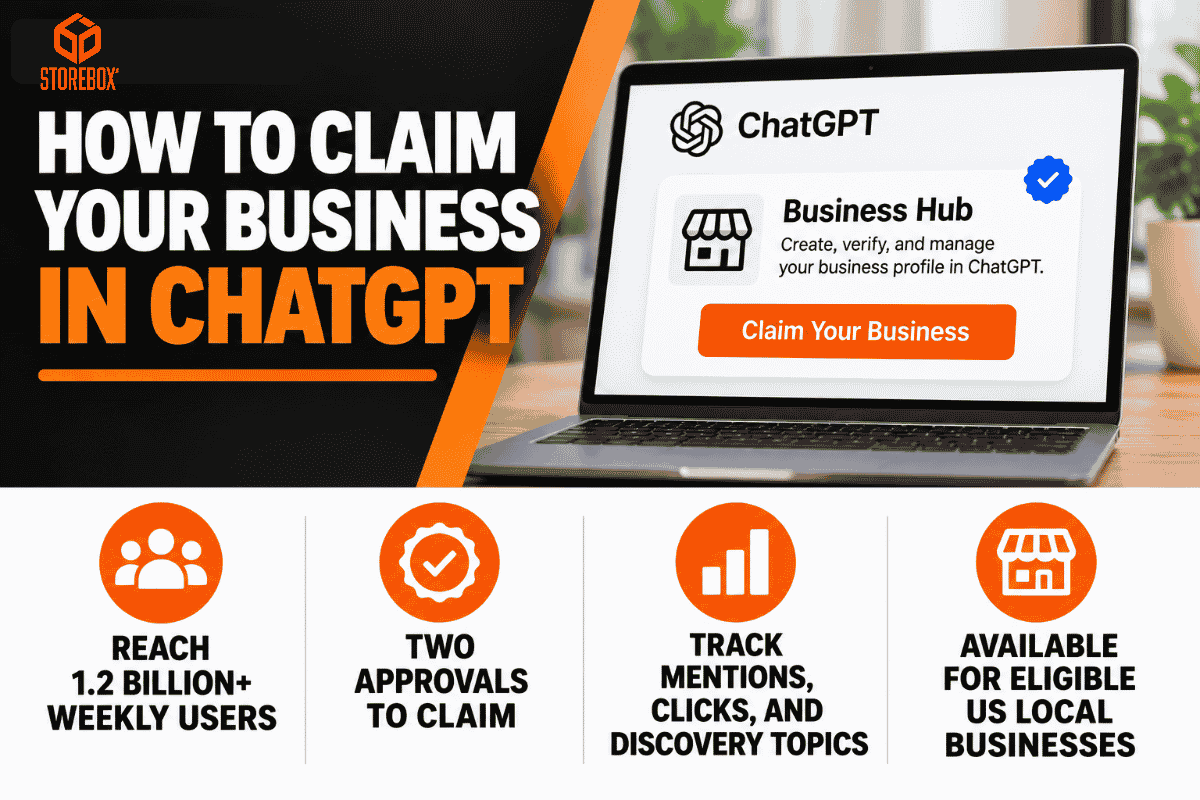
- OpenAI launched Businesses in ChatGPT in beta on November 10, 2026, with a Business Hub where companies can create, verify, and update profiles, aimed at what OpenAI says are 1.2 billion weekly ChatGPT users.
- Your customers are already asking. BrightLocal's 2026 survey found 45 percent of US consumers used ChatGPT or other AI tools for local recommendations, up from 6 percent a year earlier.
- Claiming takes two approvals, not one. The claim gets you into Business Hub, and a separate Persona identity check unlocks editing, product feeds, insights, and the blue check.
- Local businesses have the narrowest path. OpenAI's help center says local stores and restaurants can currently claim only an existing US listing.
- Claiming is a data-control tool, not a ranking lever. OpenAI says claiming a profile or disputing ownership doesn't change its visibility in ChatGPT.
- Business Hub is the first official source of ChatGPT data for your business. Insights show mentions, website clicks, and discovery topics over the past 28 days, which matters because ChatGPT clicks often land in Google Analytics as Direct or Unassigned traffic.
- A published profile can't be taken down. OpenAI Support is unable to delete, unpublish, or hide a published profile, so get the details right before Persona approval publishes it.
- Keep Google first. Statcounter's Google versus ChatGPT referral comparison put Google at 99.91 percent and ChatGPT at 0.09 percent worldwide in October 2026, so a free ChatGPT claim adds to your Google work instead of replacing it.
Claim Your Business in ChatGPT at a Glance
| Question | Short answer |
|---|---|
| Where do I claim it? | In Business Hub, in the ChatGPT sidebar or at chatgpt.com/business-hub. |
| Who can claim? | Anyone who owns the business or is authorized to represent it, with no Ads account or Enterprise agreement needed. |
| How do I verify? | Phone, business email, website domain, or Shopify, depending on the methods offered for your business. |
| What is Persona? | The identity check OpenAI requires before you can publish changes, connect a product feed, view insights, or create a business agent. |
| Can local businesses claim? | Only an existing US listing, for now. |
| Does claiming boost ranking? | No. OpenAI says claiming doesn't change visibility in ChatGPT. |
| Is it free? | OpenAI's pages list no fee for claiming, and no Ads account is required. |
| What do insights show? | Mentions, website clicks, and discovery topics over the past 28 days. |
| Can an agency manage it? | Yes. The admin who claimed the business can grant an agency access. |
If you want to claim your business in ChatGPT, the official route opened on November 10, 2026, when OpenAI launched Business Hub in beta. ChatGPT could already mention your business from public sources, but now you can claim your business in ChatGPT, correct its details, and see how often it appears. The process is short, though it has two approvals and some limits that most launch coverage skips.
This guide explains why a ChatGPT business listing matters, how to claim your business in ChatGPT step by step, who qualifies, the four verification methods, the Persona identity check, what you can edit, what the insights mean, and why claiming won't move your ranking. It ends with troubleshooting and how Storebox can handle the setup and reporting for you. If you are deciding whether to claim your business in ChatGPT at all, the short answer is yes, as long as you treat it as control of your facts and a source of data, not a new source of traffic on its own.
Why Getting Your Business Listed on ChatGPT Matters
Customers already ask ChatGPT who to hire
BrightLocal's 2026 Local Consumer Review Survey found 45 percent of US consumers had used ChatGPT or other AI tools to get local business recommendations, up from 6 percent the year before. ChatGPT answers those questions whether or not you have claimed your business. The only choice you get is whether the details it shows come from you.
ChatGPT may already have a profile with wrong details
Your business can appear before you ever touch Business Hub. OpenAI's profile policy says profiles may include information from other sources, so an old category or a missing website can show up without you knowing. Claiming is the only official way to correct what ChatGPT shows.
You get ChatGPT data you can't get anywhere else
Clicks from ChatGPT can arrive as Referral, Unassigned, or Direct in Google Analytics, and for about a week in October 2026, ChatGPT links stopped carrying the utm_source=chatgpt.com tag. Business Hub insights come from OpenAI itself.
The blue check is a trust signal
The blue check appears after Persona verification is approved. A customer comparing two plumbers or three dentists in ChatGPT can see which ones are verified.
Claiming first protects your listing
If someone else claims yours first, you have to go through Dispute ownership, which requires Persona verification. Claiming early, while the beta is new, is simpler than reclaiming later.
What it won't do: claiming doesn't make ChatGPT recommend you more often, and OpenAI says advertising doesn't influence ChatGPT's independent answers either. Recommendations still depend on your website, reviews, and what others publish about you.
Who Qualifies for ChatGPT Business Hub, and Who Doesn't Yet
OpenAI's help center says you can claim a business if you own it or are authorized to represent it. What you can do depends on your business type and country.
| Business type | What you can do today |
|---|---|
| Online business with a website | Claim an existing listing, or add one if it's missing |
| Local store or restaurant in the US | Claim an existing listing only |
| Local store or restaurant outside the US | Not yet |
| US ecommerce or online service business | Claim a profile and, if eligible, create a business agent |
| Shopify merchant | Verify through your Shopify store |
| OpenAI Enterprise customer or advertiser | Claim through your OpenAI representative |
OpenAI's product FAQ limits initial claiming to eligible businesses with a website. That makes a working website the first requirement, before any verification step. Our guide to free and affordable website builders covers the cheapest ways to get one.
How to Claim Your Business on ChatGPT, Step by Step
Six steps from first click to an editable, verified profile. Each step below shows what the screen asks for.
Open Business Hub
Sign in to ChatGPT with the account your business will keep, and open Business Hub from the sidebar.
Search for your business and select it
Search by your exact business name. Select the listing that matches and confirm the ChatGPT account that will manage it. If a listing shows Contact support, it is locked.
Verify the claim
Choose one of the verification methods offered for your business. Domain verification is the most reliable for businesses with their own website.
Wait for review
OpenAI reviews the claim and emails you a decision or a request for more information. You can cancel the claim while it's under review.
Complete Persona
Finish identity verification to unlock editing and insights. You may need a government-issued ID, business registration information, and proof that you're authorized to represent the business.
Update your profile
Correct your details and, for retailers, connect a product feed. OpenAI reviews changes before they appear.
Use the ChatGPT account your business will keep. The admin who claims the business can later add teammates and grant an agency access, with each person using their own account. Don't forward a personal claim invitation to someone else.
Before you start: what to have ready
The account your business will keep
The admin who claims it manages access later.
One verification channel
The listed business phone, a business email inbox, your DNS settings, or your Shopify admin.
Documents for Persona
A government ID, business registration information, and proof that you're authorized to represent the business, with names and numbers that match your official records.
Your profile details
Description, category, logo, and delivery and return policies, checked against your website and Google Business Profile.
A live website
Initial claiming is limited to businesses that have one.
Should you claim now?
| Your situation | Our verdict |
|---|---|
| Online business with a website | Claim now, then complete Persona the same day |
| US local store or restaurant with an existing listing | Claim now to control your details |
| Local business outside the US | Wait, and keep your website and Google Business Profile current |
| Shopify merchant | Claim through Shopify verification |
| No website yet | Build the website first, since claiming requires one |
These verdicts are our read of OpenAI's current eligibility rules, which may widen as the beta expands.
Rather not do all six steps yourself?
Storebox finds your listing, prepares your profile, adds the DNS record, keeps your details updated, and reports on your ChatGPT visibility every month. You only complete the ID check.
Let Storebox Set It Up →The Four ChatGPT Business Verification Methods
| Method | What you need | Watch out for |
|---|---|---|
| Business phone | Access to the listed phone number for a text or automated call | The number must match the listing |
| Business email | An inbox on your business domain | Personal email addresses won't match |
| Website domain | Access to your DNS settings to add a TXT record | Copy the type, host, and value exactly |
| Shopify | Admin access to your Shopify store | Available only to Shopify merchants |
For domain verification, add the record at your DNS provider, return to ChatGPT, and select Verify domain. If someone else manages your domain, ask them to add the record. Many DNS providers add your domain to the host field automatically, so pasting the full host name can double it. If verification fails, check the record with a DNS lookup tool before retrying. How long a TXT record takes to appear depends on your DNS provider, and OpenAI does not publish a review time.
Persona Identity Verification for Your Business
The claim and the identity check are separate. OpenAI requires identity verification with Persona to publish changes to your business information, connect a product feed, view insights, or create a business agent. If you skip it during the claim, find Complete verification with Persona in your business overview later.
| Step | What it unlocks |
|---|---|
| Claim approved | Access to your business in Business Hub |
| Persona approved | Profile edits, product feeds, insights, and the blue check |
| Agent eligibility confirmed | A business agent, for eligible US ecommerce and online service businesses |
The blue check appears when Persona is approved, not when the claim is. Use a government ID that matches the name of the person managing the profile. One detail to plan for: if you use Persona to create a new profile, OpenAI's approval publishes it automatically, with no separate publish step, so prepare your details first.
What You Can Edit After You Claim
After your claim and Persona verification are approved, you can update your website, business description, category, logo, delivery policy, and return policy, and add a cover photo. Retailers can also connect a product feed with pricing and availability, including a Shopify feed or a CSV file that follows OpenAI's product feed specification.
Your control has limits. OpenAI reviews and publishes changes, and updates can take time to appear in a listing or a ChatGPT answer. OpenAI's profile policy says profiles may include information from other sources, that OpenAI does not verify every business-supplied detail or resolve every factual dispute, and that businesses remain responsible for their submissions. Keep your website accurate, because ChatGPT can still read it.
Multiple locations and brands
Each distinct brand is managed separately, and claiming the main brand doesn't claim its locations. Central management across a parent company's brands and locations isn't available yet. If you run several locations, plan to claim and verify each one, and keep their details consistent with our multi-location local SEO guide.
ChatGPT Business Hub Insights Explained
Insights unlock after Persona approval and show aggregate activity over the past 28 days.
| Metric | What counts | What it doesn't tell you |
|---|---|---|
| Mentions | Online business: ChatGPT references your website. Local business: ChatGPT shows a result for your location. | Your brand name alone in an answer doesn't count as a mention for an online business |
| Website clicks | People who click through to your website | Visits that arrive later by typing your address |
| Discovery topics | Common themes in answers that mentioned or cited you | Individual prompts, conversations, or customer intent |
A blank metric doesn't necessarily mean zero. It can mean activity hasn't reached the reporting threshold or data is still being collected. Businesses never see individual prompts or conversations.
Pair insights with your own analytics
Business Hub shows clicks, not what visitors did next. To connect ChatGPT to calls, forms, and sales, track ChatGPT visits in Google Analytics too. ChatGPT appends utm_source=chatgpt.com to many citation links but no medium, so those visits can land in Unassigned. Create a custom channel group with a rule for sources that contain chatgpt.com, and add a "How did you find us?" question with a ChatGPT option to your contact form. Our small business marketing playbook covers lead tracking.
Claiming Won't Boost Your ChatGPT Ranking
This is the most important line in OpenAI's documentation: claiming a profile or disputing ownership doesn't change its visibility in ChatGPT. OpenAI also says claiming does not guarantee higher placement or sales.
| Claiming changes | Claiming doesn't change |
|---|---|
| Whether your profile shows your own description, policies, and logo | How often ChatGPT recommends you |
| Whether you can see mentions, clicks, and discovery topics | Which sources ChatGPT reads about you |
| Whether you can publish a business agent, if eligible | How ChatGPT compares you with competitors |
Google works differently. Google says local results are mainly based on relevance, distance, and prominence, and complete profile details help relevance. In ChatGPT, visibility still comes from your website, reviews, and what others publish about you. Our guides on how to show up in AI results, making your website visible to AI, and answer engine optimization cover that work.
Claiming, business agents, and ChatGPT ads are separate
OpenAI says claiming a business, publishing an agent, and advertising are separate. You don't need to run ads or publish an agent to manage your profile. A business agent, available to eligible US ecommerce and online service businesses, answers customer questions about your products and policies. It can't complete purchases, make bookings, or check orders; it links customers to your website for those.
Also read: How to optimize your Google Business Profile
Troubleshooting a ChatGPT Business Claim
ChatGPT business listing not found
If you run an eligible online business, you can add a new listing. A local store or restaurant can't add one yet. Search by your exact business name and your website domain before you conclude it's missing.
The listing shows Contact support
The listing is locked. Select Contact support to request help with access.
Someone else claimed my business in ChatGPT
Open the profile, select the more options menu, then select Dispute ownership, and verify with Persona that you're authorized to represent the business. Have proof of your role ready, such as access to the business domain, phone, or email.
The claim or Persona check is pending or rejected
OpenAI emails its decision or a request for more information, and review time varies. If a Persona check fails, make sure the business name, address, and any registration or tax number match your official records, then use Try again if it's offered. Contact OpenAI Support if you can't retry, or if Business Hub still shows verification as incomplete after you've been told it was approved.
ChatGPT shows wrong information or the wrong category
After Persona approval, correct the field in your profile. Then fix the same detail on your website and your Google profile, since ChatGPT can still draw on other sources. Our Google Business Profile audit checklist helps you find conflicting details.
Can I remove my business from ChatGPT?
Only unpublished draft profiles can be deleted, and OpenAI Support is unable to delete, unpublish, or hide a published profile. To delete a draft, open the Business tab, select the draft, open the three-dot menu, and select Delete draft.
How Storebox Handles Your ChatGPT Business Hub Setup and Reporting
Claiming starts with a website, and Storebox builds and manages one for you. Business Hub setup and reporting sit inside the AEO and GEO work in every Storebox plan, so you don't have to learn DNS records, profile fields, or insight reports yourself.
What we do and what you do
| Task | Storebox | You |
|---|---|---|
| Check eligibility and find or add your listing | ✓ | |
| Prepare your description, category, logo, cover photo, and policies to match your website and Google profile | ✓ | Approve the wording |
| Add the DNS TXT record for domain verification | ✓ | |
| Complete Persona with your government ID | ✓ (a few minutes, since it must be the owner) | |
| Add Storebox as your agency in Business Hub | ✓ (one invite) | |
| Publish profile updates when your hours, services, or policies change | ✓ | |
| Connect and maintain a product feed, if you sell products | ✓ | |
| Track insights and ChatGPT traffic every month | ✓ |
Identity verification has to be done by the person who owns or represents the business, so that is the one step we can't do for you. Everything before and after it, we handle.
What your monthly report shows
Business Hub insights
Mentions, website clicks, and discovery topics for the latest 28-day window, compared with the previous one.
ChatGPT traffic in Google Analytics
Visits from chatgpt.com, including the Unassigned and Direct sessions the default report misses.
Prompt tests
The questions your customers ask, run in ChatGPT, Gemini, Perplexity, and Google AI Overviews, with whether you were named and which sites were cited.
Fixes for next month
Details to correct, listings to update, and content to add where competitors are named instead of you.

The Starter plan is $100 a month. Growth, at $500 a month, adds multi-team optimization, multiple locations, custom website development, and programmatic SEO with up to 500 new pages, which suits businesses that need several ChatGPT listings kept in step.
Starter plan
We handle it all.
$100 / month
Website and hosting included
- A new website, hosted and edited for you, or integrated with your current one
- ChatGPT Business Hub setup and monthly insights reporting
- Blog writing & content, done for you (up to 30 pieces in your calendar)
- Keyword research & competitor analysis
- SEO: aimed at Google page 1
- AEO & GEO: aimed at ChatGPT, Gemini, Claude, Grok, Perplexity and Google AI Overviews
- AI assistant ready: your site structured so Meta Muse and other personal AI assistants can find and book you
- Google Business Profile optimization
- Every inquiry answered in seconds, on your website and WhatsApp, with CRM follow-ups
- Review and referral requests
- Monthly performance report
Frequently Asked Questions
Is ChatGPT Business Hub free?
How do I add my business to ChatGPT?
Can I claim my business in ChatGPT without a website?
How long does the ChatGPT Business Hub TXT record take?
Does claiming improve my ranking in ChatGPT?
Why is my business not showing up in ChatGPT?
What is ChatGPT Business Hub?
How do I update business information in ChatGPT?
Someone else claimed my business in ChatGPT. What do I do?
Can an agency manage my ChatGPT business profile?
Can I delete my business from ChatGPT?
How do I track traffic from ChatGPT?
Do I need a ChatGPT business profile?
Is ChatGPT Business Hub worth it?
Sources
- OpenAI Help Center, Setting up your business on ChatGPT
- TechCrunch, OpenAI rolls out new business profiles (November 10, 2026)
- Unite.AI, OpenAI launches Business Hub and Business Agents in ChatGPT
- BrightLocal, Local Consumer Review Survey 2026
- Clickport, Why ChatGPT traffic shows as Direct in GA4
- SearchPilot, AI traffic source reference
- BuildMVPFast, Missing ChatGPT traffic in GA4
- Statcounter, Google vs ChatGPT market share
- Google Business Profile Help, Tips to improve your local ranking
Want your ChatGPT listing claimed, verified, and reported on?
Storebox handles the setup and sends you ChatGPT insights every month. You only do the ID check.
Get a Free Proposal →